我只是个ChatGPT搬运人
Enabling CMCC (China Mobile) VoLTE on your Lumia 950 XL involves several steps, and because it's a specific carrier configuration, it can be a bit more challenging. Here's a more focused guide to help you out:
Step-by-Step Guide to Enable CMCC VoLTE on Lumia 950 XL
Step 1: Verify Carrier Support
- Contact China Mobile:
- Confirm that your CMCC SIM card and account support VoLTE.
- Ensure that VoLTE is activated on your account.
Step 2: Update Your Device
- Make sure your Lumia 950 XL is running the latest firmware and operating system updates:
- Settings > Update & Security > Phone Update.
Step 3: Install Interop Tools
Enable Developer Mode:
Settings > Update & Security > For Developers > Developer Mode.
Download and Install Interop Tools:
Find Interop Tools on sites like XDA Developers.
Sideload the app using Windows Device Portal or similar methods.
Step 4: Edit Registry Settings for VoLTE
Open Interop Tools:
Grant the necessary permissions.
Navigate to VoLTE Settings in the Registry:
Go to these specific paths in Interop Tools and make sure the following keys exist and are set correctly.
Modify/Create Registry Keys:
Registry Path:
HKLM\Software\OEM\Phone\IMS
Set the following keys:
"VoLTE"=dword:1
"WiFiCalling"=dword:1 (if you use WiFi Calling as well)
Registry Path:
HKLM\Software\Microsoft\VoLTE
Ensure the correct keys are set:
"EnableVoLTE"=dword:1
"VolteProv"=dword:1
Step 5: Check and Configure APN Settings
Access SIM Settings:
Settings > Network & wireless > Cellular & SIM > SIM settings.
Make sure the APN settings match China Mobile’s requirements for VoLTE.
Common CMCC APN settings:
Name: CMCC
APN: cmnet
MCC: 460
MNC: 00 (or 02 for certain regions)
APN Type: default,supl
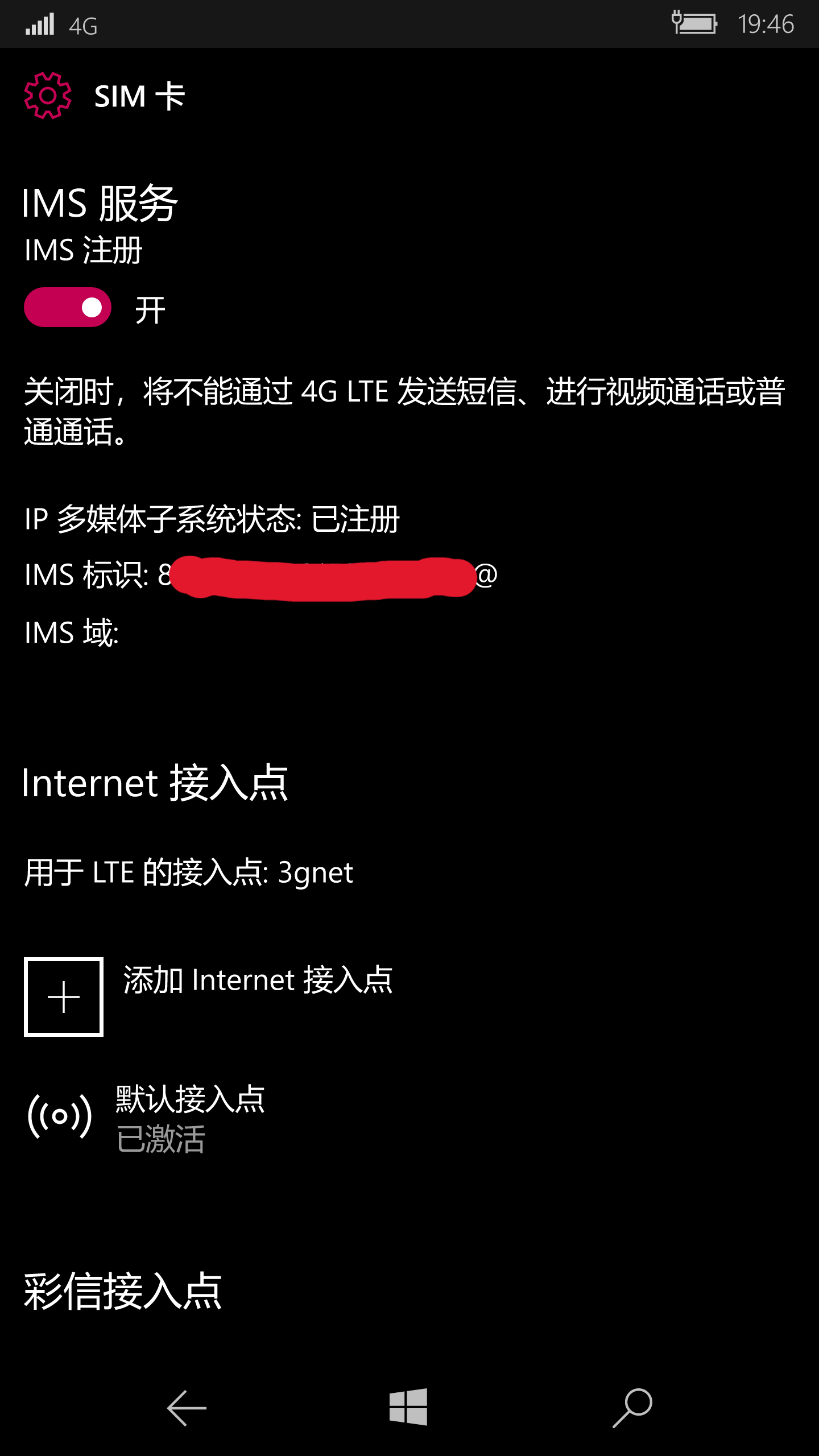
Verify IMS Registration:
Confirm that the IMS registration details are correct for your carrier.
Step 6: Carriers Provisioning
- Provisioning SMS:
- Some carriers send a provisioning SMS to enable VoLTE. Contact China Mobile support to request this if necessary.
- SIM Swap:
- Occasionally, a newer or different SIM card might be needed. Check with China Mobile for the best SIM options for VoLTE.
Step 7: Enable VoLTE in Settings
- SIM Settings:
- Settings > Network & wireless > Cellular & SIM > SIM > Enhanced 4G LTE Services.
- Ensure the toggle for Enhanced 4G LTE Services is turned on.
Step 8: Testing VoLTE Connectivity
- Make a Call:
- Test by making a phone call and ensure that the call does not drop to 3G/2G networks. It should remain on LTE.
- Network Status:
- Use the Network Status app or relevant diagnostic tools to check that your phone is using VoLTE.
Notes:
- Be cautious while modifying the registry as it can affect system stability.
- Some configurations might require a device restart to take effect fully.
- If issues persist, it might be helpful to look for insights or solutions on forums like XDA Developers, as they often have community support for specific carriers and devices.